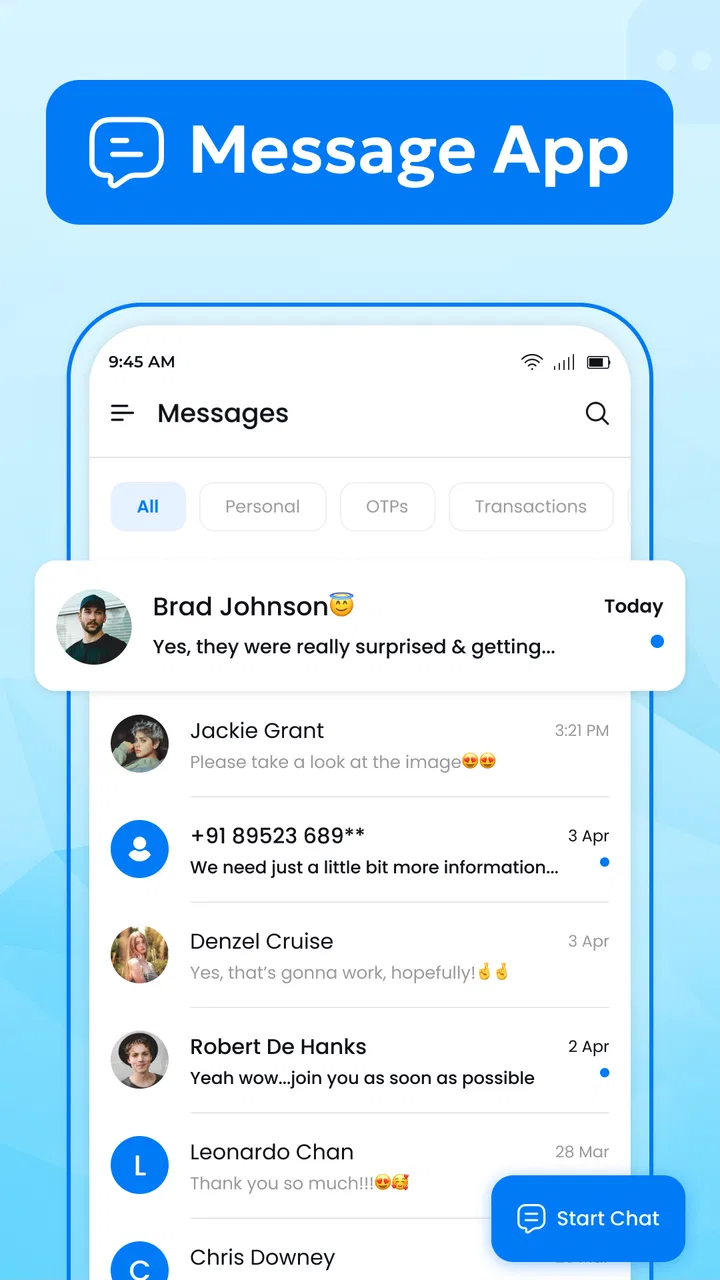
Messages - all in one chat app
- 4.2
- Rating
- 500.00K
- Installs
- Free
- Price

 Analysis by App-foxy
I usually judge a messaging app by a simple question: does it make sending an ordinary text feel easier, or does it add another layer of clutter to something that should be quick? Messages - all in one chat app takes the straightforward route. It is a free communication app from FABULOUS APPS, built around text messaging rather than trying to become a complete social network. After spending time with it, I see the appeal clearly: it is aimed at people who want a focused SMS experience without having to learn a complicated interface.
The app has reached over half a million installs and holds a 4.2 average from around 2.8 thousand ratings, which suggests that its uncomplicated approach works for a meaningful group of Android users. It is listed for Everyone and runs on Android 7.0 or later, so it is also a practical option for people using older phones. The current version is 3.6. Those details matter because this is not a niche tool for a narrow audience; it is positioned as an everyday replacement for a standard texting app.
What I looked for before recommending it
My first decision criterion was speed. A text-message app should let me open a conversation, find a contact, write a reply, and send it without making me think about where basic controls are located. Messages - all in one chat app makes sense when your communication habits are mostly one-to-one conversations, appointment reminders, family updates, delivery messages, and short practical exchanges.
You May Also Like

 Blood Strike: 2.5 Anniversary
Blood Strike’s Loadouts Turn Every Drop Into a Tactical Gamble
A close look at Blood Strike’s custom loadouts: how fast access to signature weapons reshapes its battle royale rhythm, rewards preparation, and narrows the gap between fights.

 Pandora - Music & Podcasts
Pandora’s Music Is Easy to Start, but Harder to Recover
Pandora’s strength is its low-effort path from a seed to a station. Its weak spot is how much confidence it asks you to place in connection, setup, and quiet recovery.

 8 Ball Pool
 Is Built on Rivalries, Rematches, and Routine
A close look at the rivalries, rematches, shared routines, and unanswered safety questions that turn a quick pool match into a persistent mobile community.

 Samsung Music
’s Quiet Strength Is Playing What You Already Own
Its reach comes less from spectacle than from dependable access to a personal library. That simplicity is both the app’s strongest retention engine and its ceiling.

 AccuWeather: Weather Radar
AccuWeather Review: A Quick, Clear Forecast for Everyday Decisions
For everyday plans, the best forecast is the one you can understand quickly. AccuWeather makes rain timing, radar, and local conditions easy to act on, with a few trade-offs.

 Hill Climb Racing
Why Hill Climb Racing Still Turns Crashes Into One More Run
A tiny car, a bumpy hill and one more upgrade: Hill Climb Racing keeps resurfacing because its simple chaos makes every near-miss feel personal.
More From Our News Desk



The second criterion was focus. Many modern communication tools encourage accounts, channels, media sharing, reactions, and constant notifications. Those features can be useful, but they also change the purpose of the app. Here, the central experience remains familiar: conversations are organized as messages, and the app does not need to compete with a social feed to justify its place on the phone.
I also considered the switching question. Replacing a default messaging app is not just a matter of installing another icon. You need to feel comfortable opening conversations in a new place, deciding which app should handle incoming texts, and checking that your normal contacts remain easy to reach. For that reason, I value a clean learning curve more than decorative extras in this category.
Finally, I looked at who should choose something else. A focused SMS tool is not automatically the best answer for every conversation. If most of your communication happens through internet-based services, group communities, encrypted chats, or media-heavy platforms, a conventional messaging replacement may feel limited. The right decision depends on whether you want a better home for text messages or a broader communication ecosystem.
The everyday experience is deliberately uncomplicated
In daily use, the strongest impression is that the app stays close to the job it is meant to perform. I can imagine using it as my regular place for short exchanges with relatives, school contacts, service providers, and people who do not share the same chat platform. That universal quality is still valuable: SMS does not require both people to choose the same account-based service before a conversation can begin.
A realistic example is a busy afternoon when I am coordinating a pickup. One person sends a quick text, another message arrives from a business, and I need to answer a family member without opening several different services. A dedicated messages app gives those conversations a common home. The advantage is not excitement; it is reducing the number of decisions between receiving a message and responding to it.
This makes the app especially suitable for people who find feature-heavy messengers distracting. Someone moving from an older phone may appreciate an interface that does not ask them to understand a new social system. It can also suit a secondary device, a family phone, or an Android handset where the owner wants a basic messaging experience rather than a large collection of communication tools.
The biggest strength is its clear division of purpose: it treats texting as a task, not as a social destination. That sounds modest, but it affects how often I would reach for it. When I only need to send a short message, a focused app can feel more comfortable than a platform designed to keep me browsing.
Small habits that make the app more useful
One useful workflow is to treat conversations differently according to urgency. I would keep active exchanges near the top of my attention and avoid using the message list as a general reminder system. Text threads can become messy when they are used for everything from temporary delivery codes to long-running family planning. Keeping replies concise and moving important information into a calendar or notes app prevents the messaging screen from becoming an accidental task manager.
A second practical tip is to use the app as a compatibility layer rather than trying to force every contact into the same service. If one person prefers an internet messenger and another relies on ordinary texting, I would not ask both to change habits just to simplify my own phone. The value here is that it gives me a dependable place for contacts who communicate by SMS, while I can still use another service when its features genuinely matter.
A third insight is about notification discipline. A simple messaging app can still become noisy when several conversations arrive close together. I would review notification behavior after installation and decide which conversations deserve immediate attention. This is particularly useful on an older phone, where a lighter, more focused communication setup may feel easier to manage than several constantly active platforms.
There is also a useful boundary to keep in mind: a text thread is not the same thing as a secure private chat. I would avoid assuming that a familiar conversation screen automatically provides the privacy tools associated with dedicated encrypted messaging services. For sensitive discussions, I would choose an app designed around that need instead of treating a basic SMS replacement as a security product.
Where the focused approach wins
Messages - all in one chat app is at its best when the problem is ordinary texting friction. Its free price removes a financial barrier, and its Everyone age rating makes it approachable for a broad household audience. The Android 7.0 minimum also means owners of older compatible devices are not immediately excluded simply because they have not upgraded to a recent phone.
The app is a sensible choice for a person who wants one clear answer to the question, “Where do my text messages go?” That is different from asking for the most advanced messenger. For many users, the ability to keep SMS conversations separate from entertainment, public posts, and group communities is a benefit rather than a missing feature.
I also think it can be a comfortable alternative for people who dislike the visual or organizational choices of a phone’s preinstalled messaging application. Not everyone wants to accept the default simply because it arrived with the device. Installing a separate option gives users a chance to choose an experience that better matches how they actually communicate.
The developer, FABULOUS APPS, has kept the product identity easy to understand. The app name and purpose point in the same direction, which helps when someone is searching for a replacement rather than browsing for a new social platform. Its rating and install history provide some reassurance that it is not an abandoned experiment, although I would still judge it by whether its current behavior suits my own phone and messaging routine.
Where another category may fit better
The main limitation is not necessarily a flaw in the app; it is the limitation of SMS itself. If I want rich group conversations, large media exchanges, voice and video calling, reactions, or communities built around shared interests, I would look toward an internet-based messenger. Those services are designed for people who already communicate inside the same platform and want more than short carrier messages.
I would also consider a privacy-focused messenger when confidentiality is the priority. A dedicated secure chat service may be a better fit for sensitive conversations, provided the people I need to contact are willing to use it. That creates a trade-off: specialized services can offer a stronger feature set for a particular purpose, while a text-message app is more useful when broad contact compatibility matters.
People who spend most of their time in workspaces, gaming communities, or large group channels may find this app too narrow. Their conversations are likely organized around accounts and shared spaces rather than phone numbers. In that situation, Messages - all in one chat app could remain useful for ordinary texts, but it would not replace the main communication tools they already depend on.
I would also be cautious about switching if my current messaging setup already feels fast and comfortable. A new app has to earn its place. A different icon alone is not a reason to move, especially when my existing conversations, habits, and notification settings are already working. The strongest reason to try this app is a specific problem with the current experience, such as wanting a simpler interface or a more focused home for SMS.
What switching really involves
The cost of switching is mostly practical rather than financial. Since the app is free, the decision does not require a purchase, but I still need to spend time adjusting to a different conversation list and deciding whether it should become my main SMS application. I would install it when I have a few quiet minutes, send a test message, and check that incoming conversations appear where I expect them to.
I would not switch during an important trip, a busy workday, or a period when I am relying on time-sensitive messages. That is a general precaution, but it is especially sensible with communication software: even a small change in defaults can be confusing when I am waiting for a verification text or coordinating with someone who is not nearby.
Another switching cost is emotional familiarity. I may know exactly where controls are in the default app, even if its design is not perfect. A replacement needs a short adjustment period before I can decide fairly whether it is better. I would give myself several ordinary conversations rather than judging it only from the first launch screen.
The app’s broad device compatibility helps reduce the hardware side of that decision. Because it supports Android 7.0 and newer, it is relevant to users who are keeping older devices in service. Still, compatibility does not guarantee that every phone will feel identical, so I would pay attention to how it behaves on my particular handset and whether it fits with the phone’s existing notification habits.
Who I would recommend it to
I would recommend Messages - all in one chat app to someone who wants a free, uncomplicated SMS replacement and does not need a full social communication platform. It makes the most sense for people whose daily messages are short, practical, and spread across contacts who may not use the same internet messenger.
I would also suggest it to an Android user with an older compatible phone who wants to try a different text-message interface without paying for an upgrade or adopting a more elaborate service. The Everyone rating makes it suitable for a wide range of users, though I would still encourage families to establish sensible phone and messaging habits rather than assuming an app can manage those decisions for them.
I would not make it my first recommendation for someone searching primarily for encrypted conversations, collaborative group spaces, video calls, or a large media-sharing workflow. In those cases, a specialized alternative is likely to be more satisfying. The app should be chosen for its focus, not criticized for failing to become something else.
After weighing the simplicity, the free entry point, the older Android support, and the limits of a focused SMS tool, my view is positive but specific. Choose it when your main goal is calmer, more direct texting; skip it when your main goal is a feature-rich online community. That distinction prevents disappointment and makes the decision much easier.
My recommendation after using it
Messages - all in one chat app is a practical communication app for Android users who want text messaging to stay in its own lane. The 4.2 average from around 2.8 thousand ratings gives it a credible reception, and the 500K-plus install milestone shows that its simple approach has found an audience. I would describe it as a useful alternative to a default SMS app, not as a universal replacement for every messenger on a phone.
What I like most is the clarity of the decision. If I want a focused place for ordinary texts, this app deserves a trial. If I want private internet chats, rich media, large communities, or advanced collaboration, I should choose a category built for those needs instead. That honesty is important: the best messaging app is not the one with the longest feature list, but the one that matches the conversations I actually have.
For a friend who regularly says that texting feels cluttered or unnecessarily complicated, I would recommend giving this one a chance. I would install it, test it with a few low-pressure conversations, adjust my notification habits, and then decide whether its focused workflow feels better than the current default. Since it is free and aimed at everyday use, the experiment is straightforward. Just keep expectations realistic, and it becomes a sensible, approachable choice for basic SMS communication.
FAQs for Messages - all in one chat app
01What is Messages - all in one chat app?
Messages - all in one chat app is designed to bring multiple messaging services together in one convenient interface. Instead of switching between separate applications, users can access conversations from supported platforms in a centralized location. The exact services available may depend on the app version, device compatibility, and the permissions granted during setup.
02Which messaging services are supported by Messages - all in one chat app?
The supported services can vary depending on the version of Messages - all in one chat app and the operating system you use. Before downloading, check the app’s current store listing for the latest compatibility information. Some services may require you to sign in separately, while others may not be available in every country or on every device.
03Is Messages - all in one chat app safe to use?
Safety depends largely on how the application handles account access, notifications, and personal data. Review its privacy policy and requested permissions before signing in. Avoid entering credentials into unfamiliar screens, and keep your phone protected with a passcode or biometric lock. You should also confirm that the app is downloaded from an official store and kept updated.
04Does the app require access to my messages, contacts, or notifications?
An all-in-one messaging application may request notification, contact, storage, or accessibility-related permissions to display alerts, organize conversations, and provide its main features. These permissions are not always mandatory, but denying them can limit functionality. Read each permission prompt carefully and grant only the access you consider necessary for the way you plan to use the app.
05Is Messages - all in one chat app free, and does it contain advertising?
The app may be available as a free download, but its business model can include advertisements, optional purchases, or premium features depending on the current release. Pricing and advertising policies can change, so check the official Google Play or App Store listing before installing. Also review subscription terms carefully if the app offers upgrades or recurring payments.
Pros
- Combines several messaging services in one convenient inbox.
- Reduces the need to switch between multiple chat applications.
- Supports quick access to conversations from different platforms.
- Useful for users managing personal and work chats in one place.
- Can simplify notifications by gathering messages in a single interface.
Cons
- Requires access to multiple accounts
- which may raise privacy concerns.
- Some services may have limited features compared with their official apps.
- Performance can vary depending on the connected messaging platforms.
- A single app issue could affect access to several chats at once.
- May use more battery and background data while syncing multiple services.

Messages - all in one chat app
Gallery